For finance and engineering teams on AWS, Azure and Google Cloud
Explain every cloud cost.
Understand your bill, assign costs and review recommendations with read-only cloud access.
By invitation · no charge during the programme
Works with
- AWSLive
- Microsoft AzurePreview
- Google CloudPreview
FinOps connects read-only, and also reads FOCUS and CUR billing files and AI usage exports from OpenAI, Anthropic, Amazon Bedrock, Azure OpenAI and Vertex AI.
All integrationsCloudJaeger FinOps
Four questions every cloud bill raises.
Follow a cost increase from the overview to the engineering review on a clearly labelled sample estate.
Sample estate · a fictional company on AWS billing, Sep 1 – 14 · every figure adds up to the cent
The thread: +$4,420 in 14 days → 84% of it is checkout‑api → a +$620/day step since Sep 9 → $18,600/mo at stake, projected
Overview
Sep 1 – 14, 2026 · compared with Aug 18 – 31 · billed cost · USD
Spend rose $4,420 (8.1%) against the prior 14 days. Three changes explain all of it — one service, checkout‑api, is 84% of the rise.
- Window spend
- $59,020Sep 1 – 14 · billed
- Change vs prior 14 days
- +$4,420+8.1% · checkout‑api explains 84%
- Forecast month-end
- ~$132,700projected · at the current rate
- Savings on a bill
- Nonecounted once a bill shows the changeHow verification works
Daily billed cost
Sep 1 – 30, 2026 · USD · axis starts at $0
- Actual · billed
- Projected (hatched)
Basis: billed cost, all charges, USD · Sep 15 – 30 projected at the current rate, $4,605/day (usual $3,900 + $705 of changes) · every point is in the data table.
What moved
share of the +$4,420
- checkout‑api · Fargate compute ×1.7+$3,72084%
- analytics‑warehouse · cross-AZ transfer+$1,06024%
- log‑archive · S3 storage down−$360−8%
- 18 other services · net $0 (+$56 / −$56)$00%
Rows add to the headline: +$3,720 + $1,060 − $360 + $0 = +$4,420.
Where it landed · by team
share of $59,020
- Payments$16,60028%
- Data Platform$14,61225%
- No owner tag$11,52220%
- Platform$9,59416%
- Catalog$6,69211%
Owner from the service tag on each resource; untagged spend stays visible, never spread.
- Billed through
- Sep 14 · 4 h ago
- Coverage
- 1 AWS payer · 21 services
- Basis
- Billed cost · all charges · USD
- Savings
- Projected until a bill confirms it.
- Three causes that add up to the cent: +$3,720 + $1,060 − $360 = +$4,420.
- Month-end about $132,700 if nothing changes — hatched, because it is a projection.
- Every figure names its source and freshness: billed through Sep 14, synced 4 hours ago.
The walkthrough estate. The live demo is a different fictional estate — three clouds and 90 days of history — with its own numbers.
In the product
Eight views, each with its status.
Live and Preview show what is ready today. Coverage for each cloud is on the evidence page.
Cost Explorer Live
Compare periods and inspect spend by service, account, region or team.
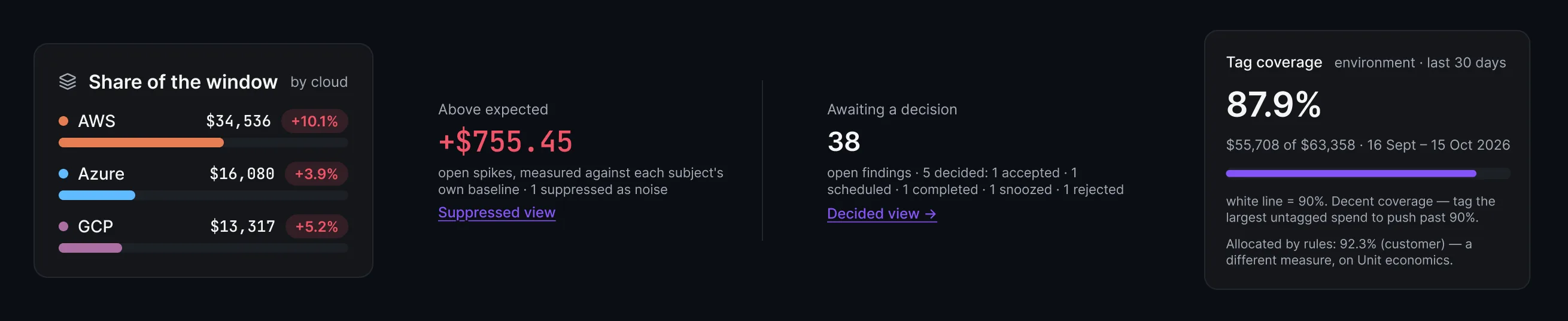
Anomalies Preview
One queue of spend spikes across every connection, each measured against its own baseline.
Action Center Preview
Review idle-resource and capacity findings with their evidence, risk and effort.
Allocation Preview
Connect spend to teams, products and cost centers.
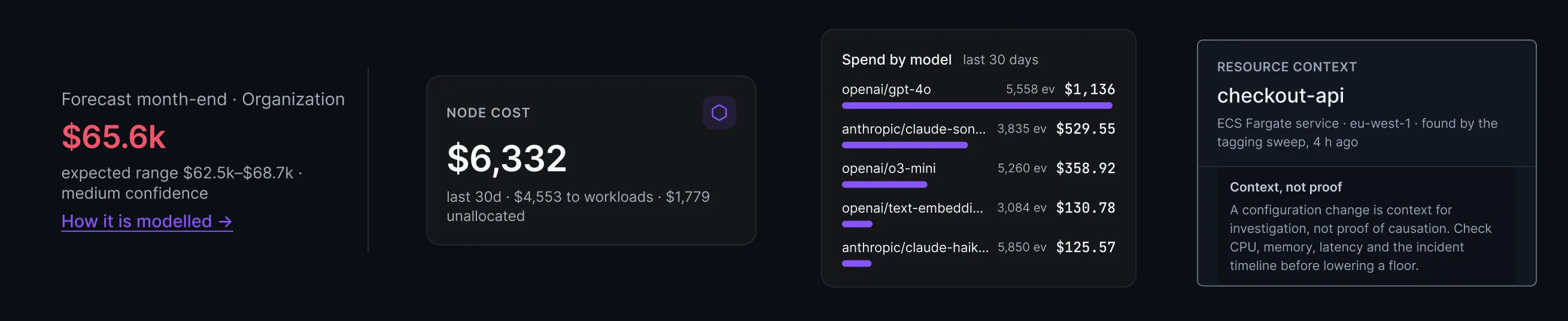
Forecast and budgets Preview
Compare actuals with budgets, inspect forecast assumptions and share scoped reports.
Kubernetes Preview
Cluster and workload usage with its cost basis: the bill for EKS with the CUR import, otherwise list price.
AI and GPU Preview
Follow instrumented usage by model, feature or tenant.
Architecture review Preview
AWS estates only
Design findings and network cost for an AWS estate, each with its evidence and missing inputs.
Evidence
Numbers your finance team can check
Each one links to the page that shows how it works, so you can check it before you connect an account.
Exact to the cent
Every total is built from your cloud’s own billing data.
How totals add upSavings proven on your bill
An estimate stays an estimate until your bill shows the change.
How savings are provenRead-only
FinOps never changes your infrastructure. Every read-only AWS action it uses is listed.
See every permissionSee it first
Open the live demo or a sample cost report, with no signup.
Open the sample report
Your next cloud decision starts here.
Bring the whole
picture into view.
Applications are reviewed personally. Submitting one does not create an account.